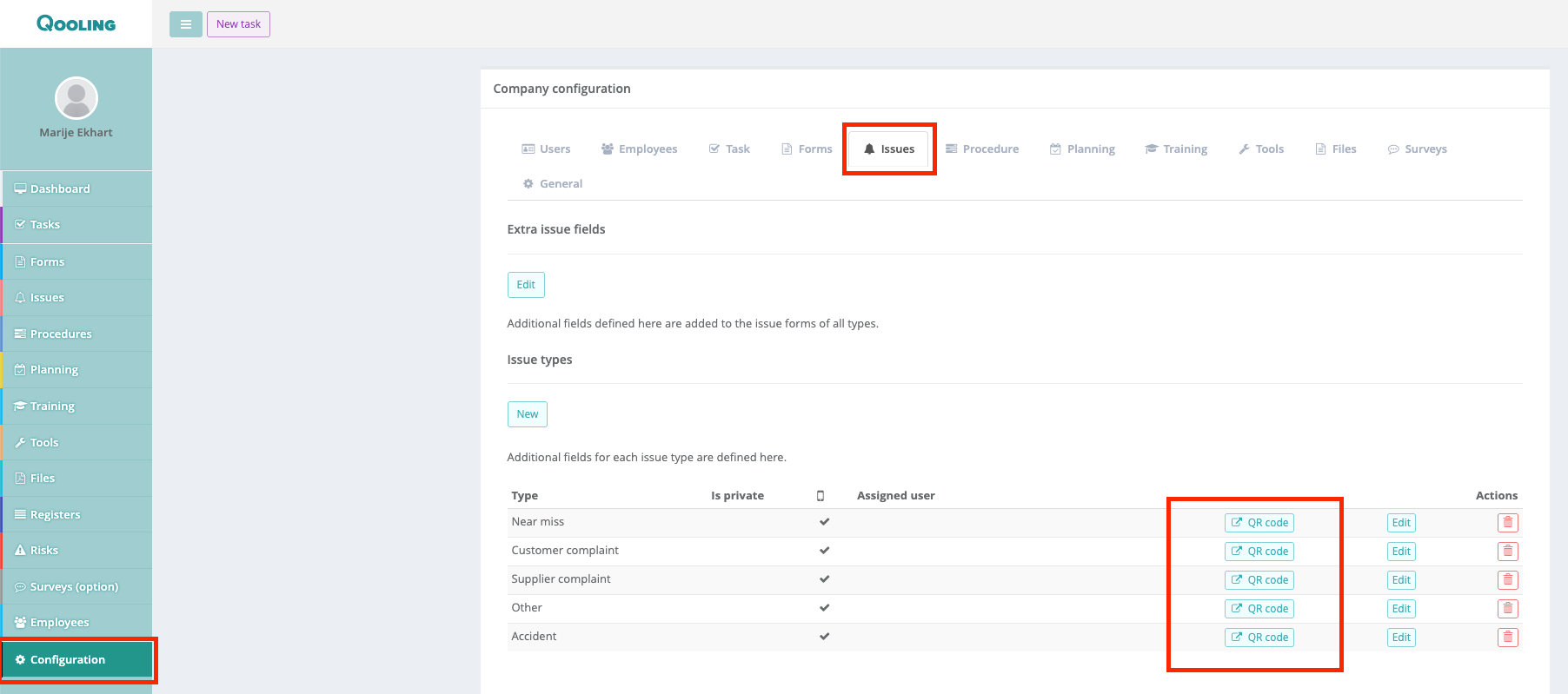
Step 1: Go to the Configuration
Navigate to the Issues tab.
Under Issue Types, you will see that each type allows you to generate a unique QR code.
Step 2: Generate and Place the QR Code
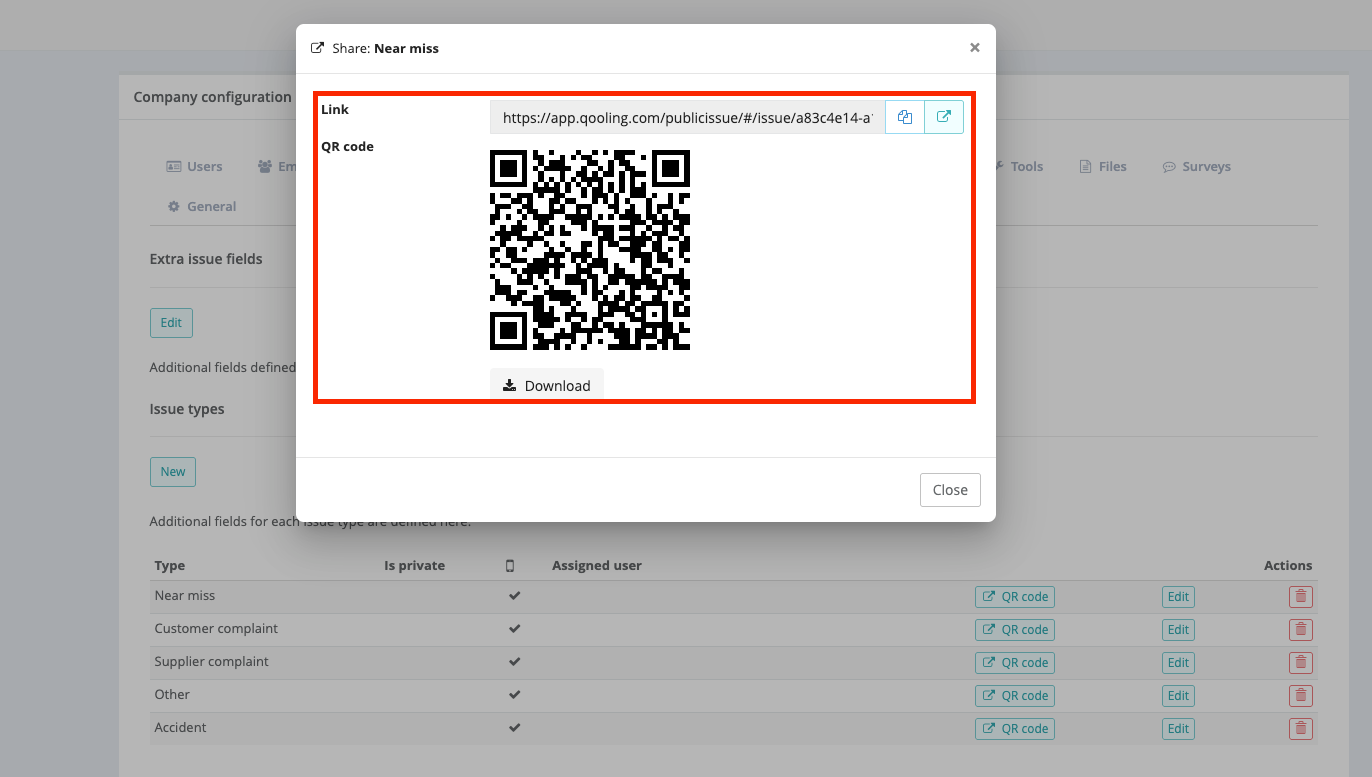
Click the QR code button for the issue type you want.
Download the QR code.
Place or attach the QR code in the relevant location (for example, on the production floor).
Step 3: Use the Mobile App to Scan the QR Code
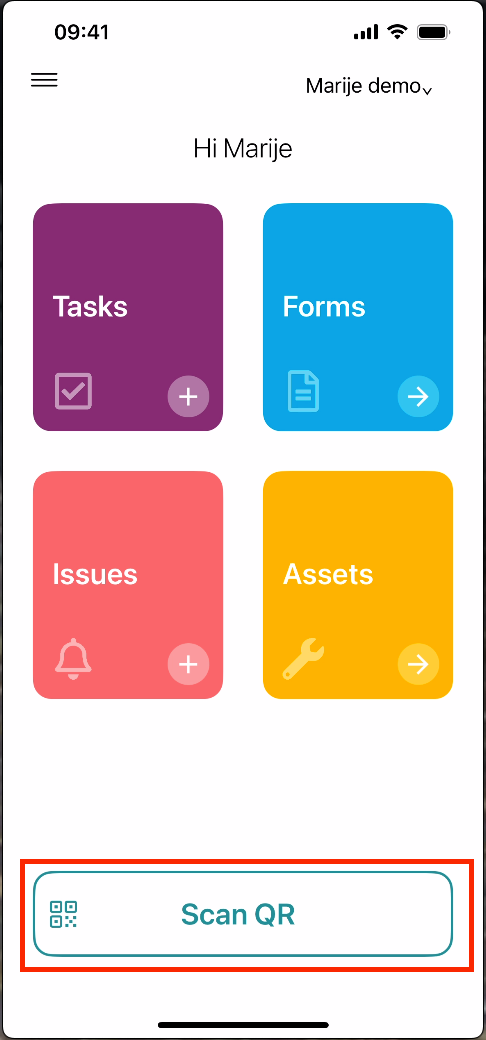
Open the Qooling app on your mobile phone.
Tap the Scanner.
Scan the placed QR code to open the correct issue type instantly.
Was this article helpful?
That’s Great!
Thank you for your feedback
Sorry! We couldn't be helpful
Thank you for your feedback
Feedback sent
We appreciate your effort and will try to fix the article