Linking risks to issues
Risks and issues are now connected, so you can see which risks are actually occurring in practice or you can identify new Risks based on actual incidents. Open an issue and go to the Linked Risks tab. You have two options.
Link Risk - attach a risk entry that already exists.
New Entry - create a new risk entry directly from the issue, without leaving it. Useful when an incident turns out to point to a risk that was not on your register yet.
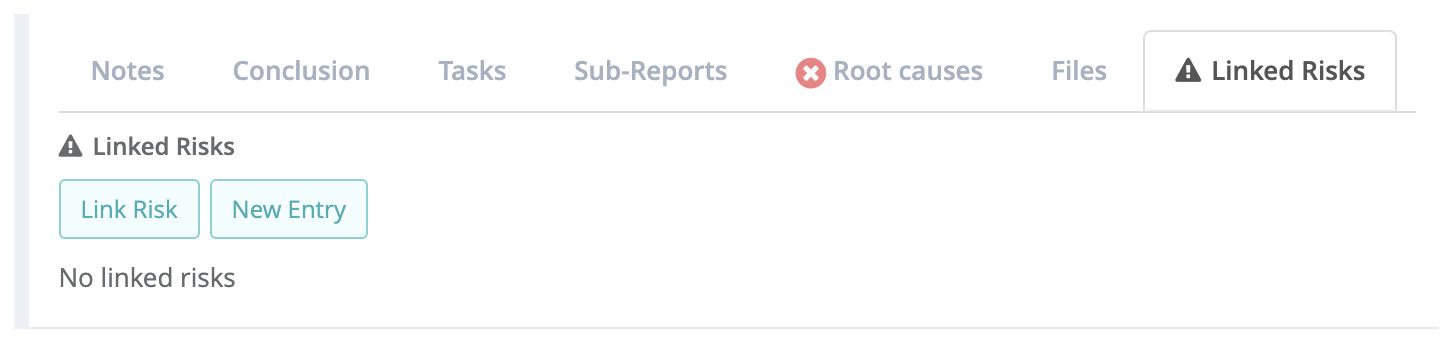
Screenshot 4: the Linked Risks tab on an issue, with the Link Risk and New Entry buttons.
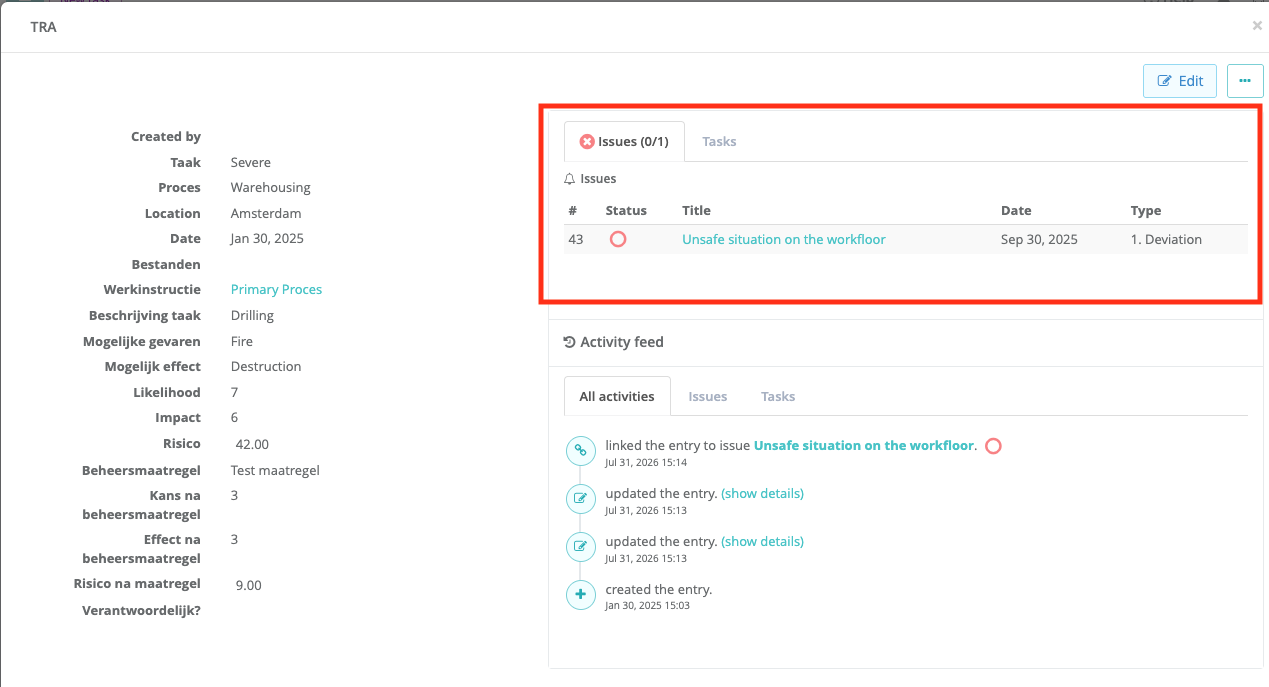
The connection is visible from both sides: the issue lists its linked risks, and the risk shows every issue attached to it. All linking and unlinking is recorded in the activity feed of the actual Risk:
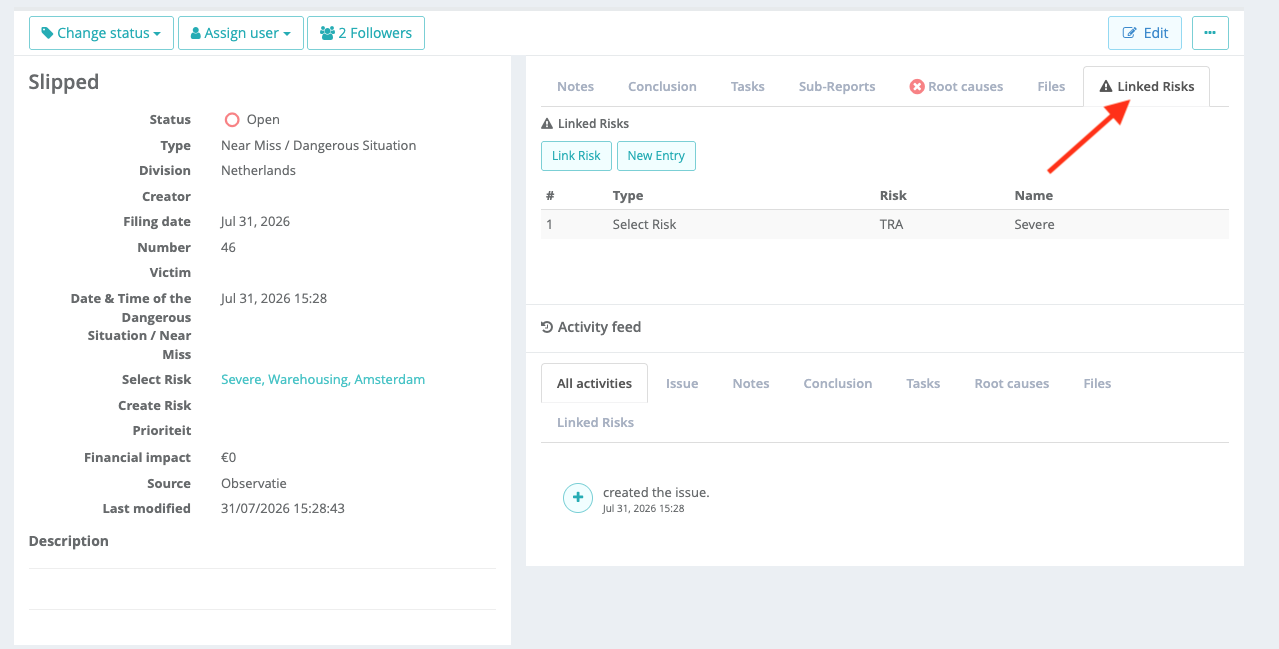
 All the Risks linked to an issue can also be found in the overview of the Issue:
Referring to risks from an issue type
You can also build the risk reference straight into your form, so the reporter handles it while filling in the issue. Add an Integration field to the issue type and set it up as follows.
Type - choose Risk.
Link - the risk register or Risk Control type you want to refer to.
Selected columns - the columns shown in the picker, for example Likelihood, Impact and Risk level.
Behaviour - choose Select existing entry so the user picks an existing risk, or Create new entry so the user creates a new risk from within the form.
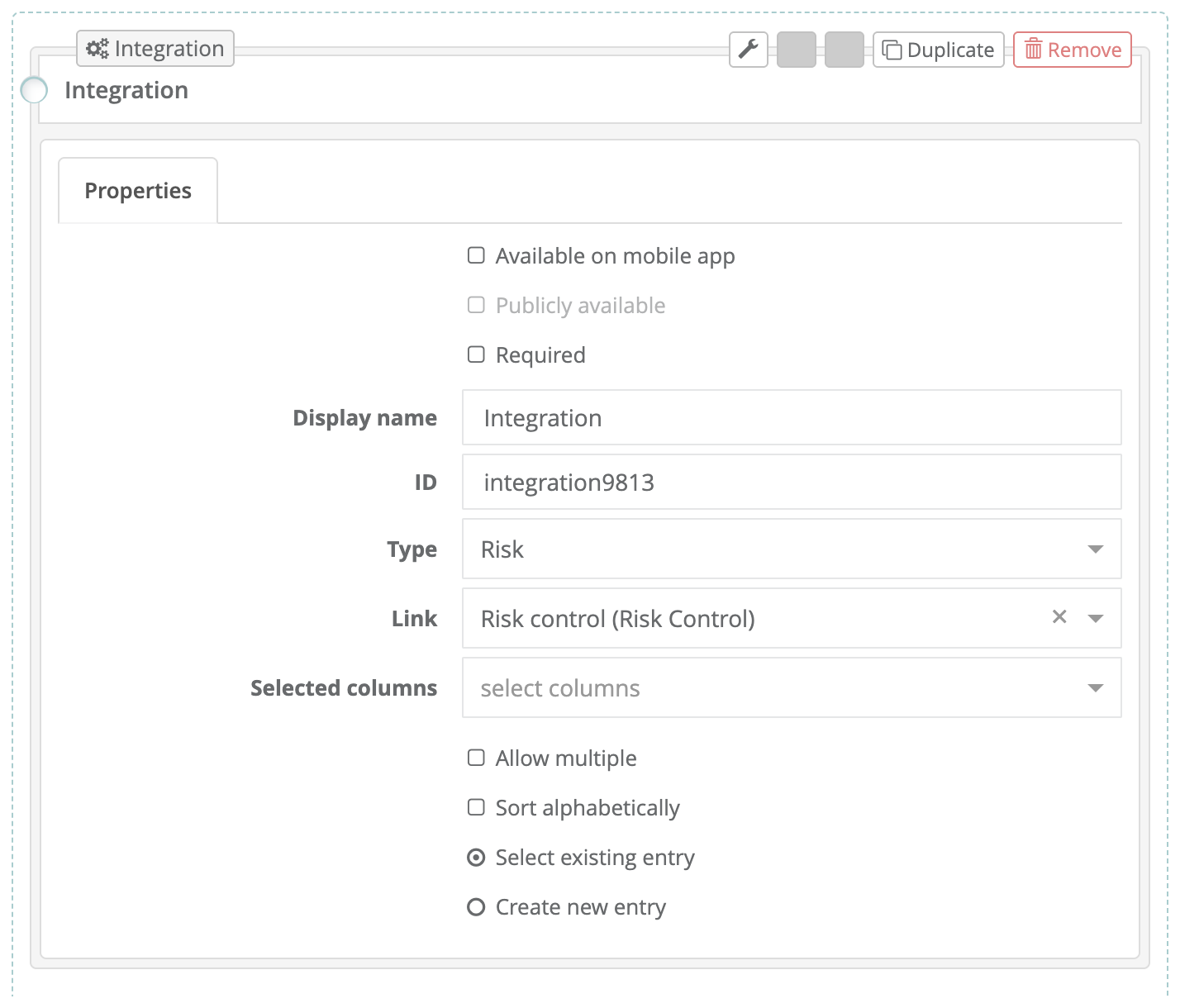
Screenshot 5: the Integration field set to Risk and linked to a Risk Control, with the choice between selecting an existing entry and creating a new one.
Below you can see how this reflects in the issue itself:
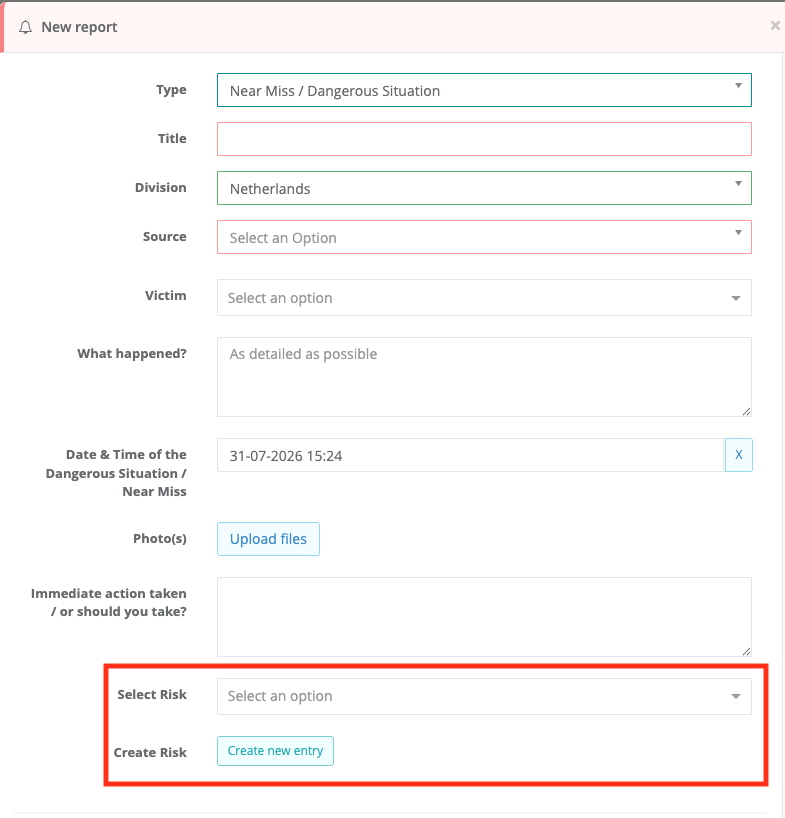
You decide which of the two behaviours the field has, so you stay in control of whether reporters may add new risks or only refer to existing ones. Inactive and archived risks are automatically kept out of the picker.
Was this article helpful?
That’s Great!
Thank you for your feedback
Sorry! We couldn't be helpful
Thank you for your feedback
Feedback sent
We appreciate your effort and will try to fix the article