In the Qooling app you can find all the upcoming and overdue inspections that you are personally responsible for. Open the Menu in the left upper corner to see the "My Inspections" in the list of modules. The number in red indicates how many overdue inspections still need to be performed. See the image below.
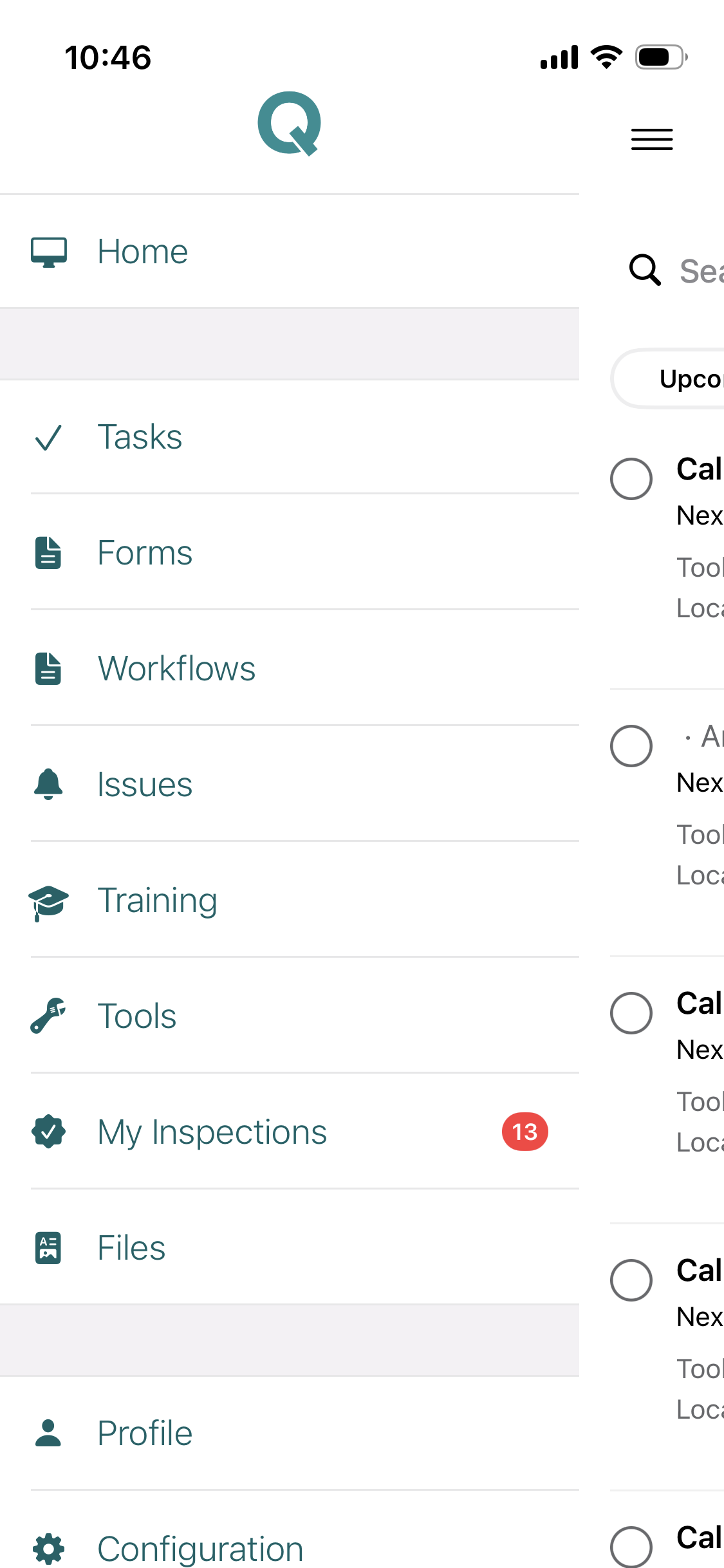
Opening "My Inspections" we can see 3 tabs: "Upcoming", "Outdated" and "Log".
Upcoming Inspections
From here you can see all the upcoming inspections and also perform inspections. Simply open an inspection to perform the inspection. When doing so it will give you a confirmation that the inspections is created and you are directed to the "Log" where you can immediately see that your inspection has been logged.
Note: If you perform an inspection that is not yet due* it will still give the same date for the next inspection in the Upcoming tab.
*If for instance you have a monthly inspection plan for a tool, you can perform as many inspections as you want, but the date for the next upcoming inspection will not exceed more than a month to make sure the plan is adhered.
Outdated Inspections
Here you can find all the inspections that are overdue. Whenever you perform the inspections from here they will dissappear from the list.
Was this article helpful?
That’s Great!
Thank you for your feedback
Sorry! We couldn't be helpful
Thank you for your feedback
Feedback sent
We appreciate your effort and will try to fix the article